
QR Dog
Volume’s Best Friend
QR Dog scans your RAW photos for QR codes and tags them automatically — the way you choose — so you can stop sorting and get back to what matters.
Built for event, school, sports, and all volume photographers who need speed, accuracy, and a workflow that just works.
What Does QR Dog Do?
QR Dog is a lightweight desktop app and Lightroom plug-in designed to solve one very specific problem:
finding QR codes inside RAW photo files quickly and reliably.
Instead of exporting, guessing, or manually searching, QR Dog:
Scans RAW files directly
Detects QR codes automatically
Applies tags in ways that fit your existing workflow
Exports cropped QR Codes, ready to upload to your ordering software
Whether you’re working with hundreds or tens of thousands of images, QR Dog helps you move faster with less effort.
Designed for your workflow
QR Dog doesn’t replace your tools — it works alongside them.
Works directly with RAW files
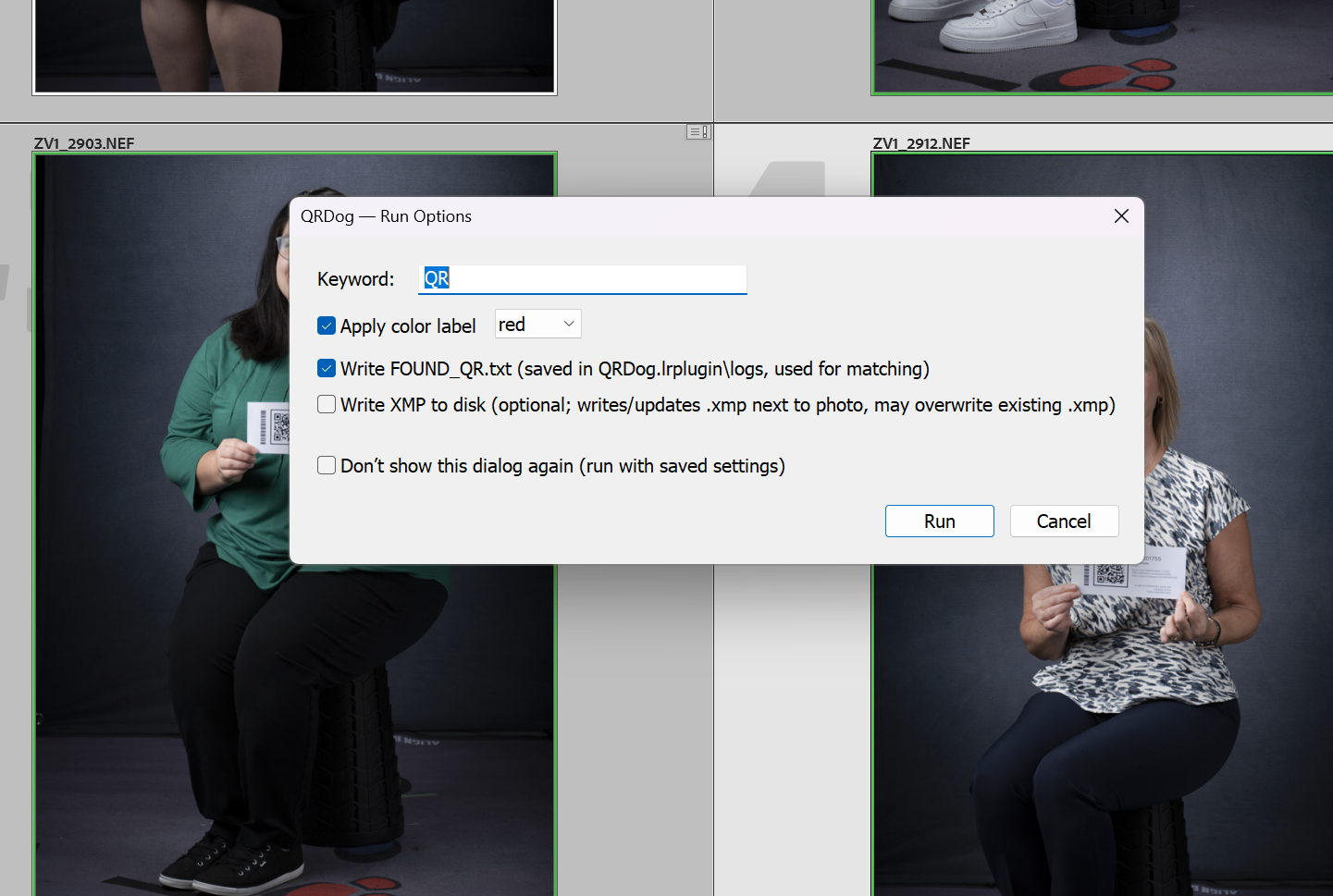
Integrates with Lightroom
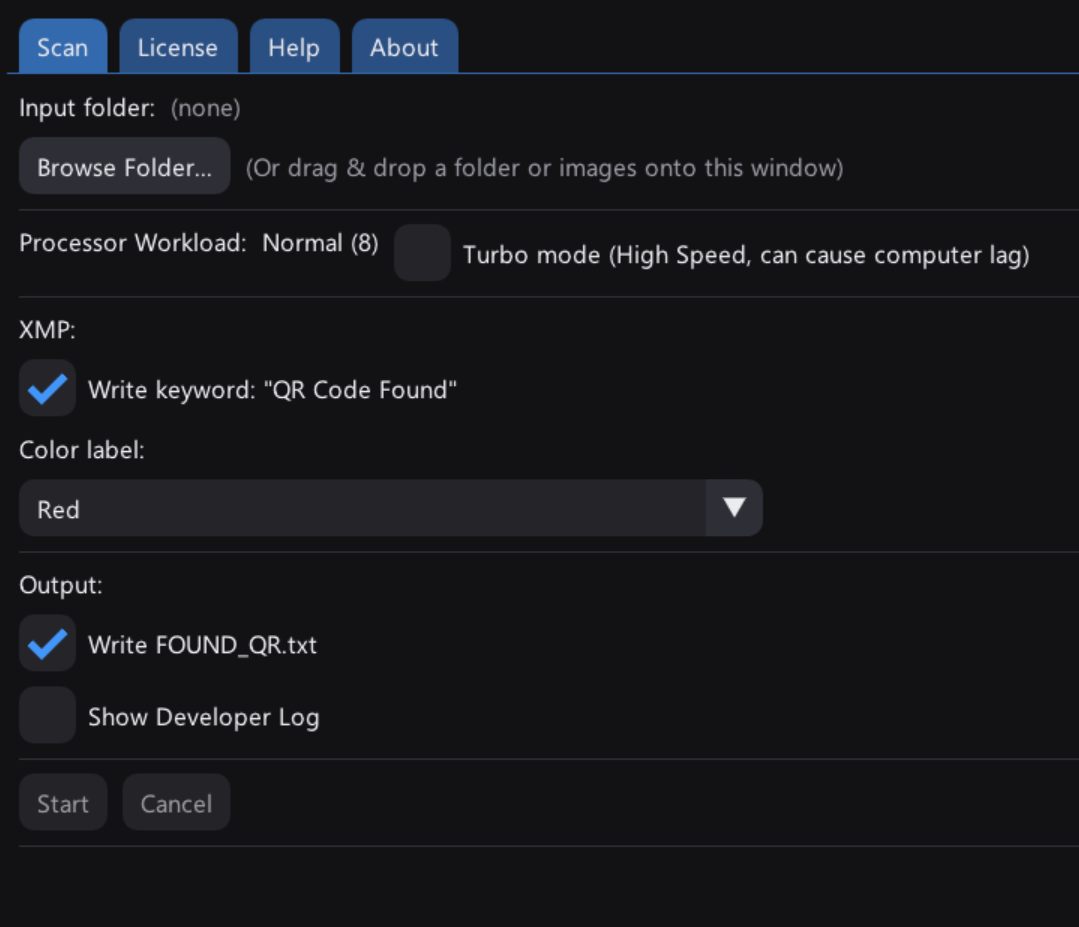
Lets you choose how images are tagged
(keywords, color labels, text lists, and more)Runs locally on your computer
No new catalog systems.
No forced exports.
No cloud uploads.
We built QR Dog to be focused and trustworthy.
It does not upload your photos anywhere
It does not modify or damage your RAW files
It does not force you into a new workflow
It does not try to be an all-in-one platform
QR Dog does one job — and does it well.
Why Would I need this?
Because it doesn’t exist.
We looked everywhere for a solution to this problem. We want to sort out the QR codes BEFORE we make any adjustments to images, BEFORE we make exports, BEFORE we pay someone by the image for editing!
We couldn’t find a solution, so we made it ourselves.
Adopt a dog today!
QR Dog scans your RAW files for QR codes and automatically tags the images the way you choose—so you can spend less time sorting and more time doing what matters.
Built for event, school, sports, and volume photographers, QR Dog works seamlessly with Lightroom and fits into your existing workflow. No uploads, no cloud processing, and no changes to your RAW files.
This Personal License (2 Dogs) allows activation on up to two computers for the same user—perfect for a desktop and laptop setup.
What’s included:
QR Dog desktop app (PC)
Lightroom plug-in integration (MAC & PC)
Scans RAW files directly
Custom tagging options (keywords, color labels, and more)
Local processing — your files stay on your machine
One-time purchase, no subscription
Fast, simple, and built for real photographers.
QR Dog scans your RAW files for QR codes and automatically tags the images the way you choose—so you can spend less time sorting and more time doing what matters.
Built for event, school, sports, and volume photographers, QR Dog works seamlessly with Lightroom and fits into your existing workflow. No uploads, no cloud processing, and no changes to your RAW files.
This Studio License (5 Dogs) allows activation on up to five computers for the same user—perfect for a large photo studio.
What’s included:
QR Dog desktop app (PC)
Lightroom plug-in integration (MAC & PC)
Scans RAW files directly
Custom tagging options (keywords, color labels, and more)
Local processing — your files stay on your machine
One-time purchase, no subscription
Fast, simple, and built for real photographers.
Your Questions, Answered-
When you purchase QR Dog, you receive everything you need to get started right away:
QR Dog Desktop App
Scan RAW files and detect QR codes quickly and reliably.Lightroom Plug-In Integration
Works alongside Lightroom to fit seamlessly into your existing workflow.License Key
Delivered automatically by email after purchase, with simple activation instructions.Personal or Studio License
Based on the option you choose:Personal License (2 Dogs): use on up to two computers
Studio License (5 Dogs): use on up to five computers
Free Updates & Improvements
Bug fixes and refinements are included.Local Processing
Everything runs on your computer — your photos are never uploaded.Support
Help is available if you run into issues or have questions.
-
If you ever need to upgrade from a personal license to a studio license, we can prorate the difference into the new license. Your active computers should continue to work with no issues.
-
While you are always welcome to set a new world record, your mouse might start smoking if you try to keep up.
In our testing, QR Dog chews through images at a rate of about 10 RAW files per second, and that’s including the tagging!
-
QR Dog has been tested with Nikon, Canon, Sony, and Fuji cameras. If there is ever a question about a camera’s RAW compatibility, send us a couple RAW files with qr codes in them and we will make sure that it does!